BISP Payment Missing in Wallet While Checking Through 8171 Portal Using CNIC
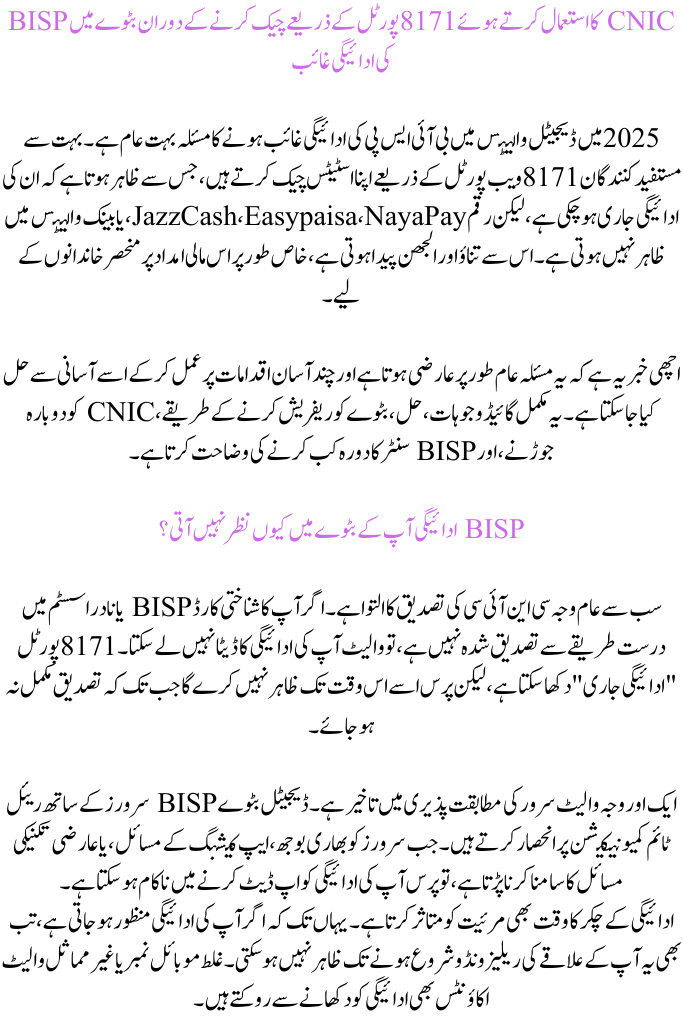
The issue of BISP payment missing in digital wallets is very common in 2025. Many beneficiaries check their status through the 8171 web portal, which shows that their payment has been released, but the amount does not appear in JazzCash, Easypaisa, NayaPay, or bank wallets. This creates stress and confusion, especially for families depending on this financial support.
You can also read: BISP Wallet Registration 2025: Complete Guide to Apply
The good news is that this problem is usually temporary and can be easily fixed by following a few simple steps. This complete guide explains the reasons, solutions, wallet refresh methods, CNIC re-linking, and when to visit a Benazir Income Support Program center.
Why BISP Payment Does Not Appear in Your Wallet
The most common reason is pending CNIC verification. If your CNIC is not properly verified in the Benazir Income Support Program or NADRA system, the wallet cannot fetch your payment data. The 8171 portal may show “Payment Released,” but the wallet will not display it until verification is complete.
Another reason is wallet-server sync delay. Digital wallets rely on real-time communication with Benazir Income Support Program servers. When servers face heavy loads, app caching problems, or temporary technical issues, the wallet may fail to update your payment.
Payment cycle timing also affects visibility. Even if your payment is approved, it may not appear until your region’s release window starts. Wrong mobile numbers or mismatched wallet accounts also block payment from showing.
You can also read: BISP Wallet Registration 2025 Complete and Simple Guide for All Beneficiaries
Other reasons include outdated wallet apps, blocked accounts, or mismatched CNIC and SIM details.
Quick Fix Summary Solve the Issue Instantly
These short solutions help most users fix the problem within minutes:
| Issue | Quick Fix | Time Needed |
|---|---|---|
| CNIC not verified | Re-verify at BISP/Ehsaas center | 10–20 minutes |
| Wallet not syncing | Logout → restart app → login | 2–5 minutes |
| Wrong mobile number | Update number on 8171 portal | Same day |
| Payment cycle delay | Check portal again for next date | 24–48 hours |
| Account blocked | Visit BISP center with CNIC | Same day–few days |
Check 8171 Portal First Confirm Status
Before anything else, always check your payment status on the 8171 web portal using your CNIC. The portal shows whether your payment is
-
Eligible
-
Released
-
Pending verification
-
Delayed due to cycle
If the portal shows “Payment Released,” but your wallet is empty, it simply means the system has approved your installment, but your wallet has not yet received the transfer.
If the portal shows Verification Required, then you must complete biometric or data correction.
Sometimes the portal also shows old information, which is usually refreshed within 24 hours.
You can also read: BISP Wallet Registration 2025: Complete and Simple Guide to Apply
Things to Check on the 8171 Portal
-
Eligibility status
-
Payment release date
-
Required verification
-
Linked mobile number
-
Last update time
Refresh Your Digital Wallet Force Sync with BISP Server
Refreshing your wallet is one of the quickest solutions. Many users do not see their payment because the wallet app displays old data or fails to sync with BISP servers.
To fix this, simply log out, restart the app, and log in again. This forces the wallet to fetch new information.
Updating your app is also important. Old versions often fail to show payment information properly. Clearing cached data and restarting the device also helps.
You can also read: BISP Wallet SIM 8171 Activation Status: Full Guide to Check Eligibility 2025
Steps to Refresh Your Wallet
-
Update wallet to the latest version
-
Clear app cache and force stop
-
Restart your mobile
-
Log in again and check the balance
Re-Link Your CNIC With Wallet Account
Your payment will not appear if your CNIC is not correctly linked to your mobile wallet account. Even small mismatches between CNIC, SIM, and BISP records can cause errors.
To re-link CNIC, open your wallet app, go to Account Settings / KYC Update, and enter your CNIC again.
Reasons Why CNIC Re-Linking Is Needed
-
Mobile number recently changed
-
SIM not registered under beneficiary name
-
Wallet account updated or reinstalled
-
CNIC updated in NADRA/BISP but not in wallet
Check Payment Cycle & Release Window
Sometimes your payment is approved but not yet forwarded to the wallet. BISP releases funds in scheduled cycles. Weekends, system updates, or national holidays can also delay transfers.
If the portal shows an upcoming date, then you simply need to wait.
You can also read: BISP Wallet SIM 8171 Activation Status Check Eligibility Now
Wallet-Specific Tips to Resolve Issues
Different wallets have different requirements:
-
JazzCash: Re-verify CNIC in profile settings
-
Easypaisa: Update SIM registration details
-
NayaPay: Clear cache and restart for proper sync
-
Bank wallets: Ensure bank KYC matches NADRA/BISP records
Avoid using multiple wallets for one CNIC, as this confuses the system.
Visit BISP Center Only If Needed
If payment is still missing after trying all methods, then visit the nearest BISP Dynamic Registration Center. They can verify biometrics, update CNIC status, correct mobile numbers, and unblock accounts.
Bring the following:
-
Original CNIC
-
Registered SIM
-
Wallet screenshots
-
8171 portal screenshots
-
Old payment slips (if available)
You can also read: Sarsabz Punjab Scheme 2025 Full Details, Online Application, Benefits & Eligibility (Complete
FAQs
1. Why is my BISP payment not showing in the wallet?
Mostly due to CNIC mismatch, wallet-server sync issues, or verification pending.
2. Will reinstalling my wallet help?
Yes. It forces the app to refresh and helps the wallet reconnect with BISP servers.
3. Can I change my mobile number for BISP?
Yes. You can update it through the 8171 portal or by visiting a BISP center.